|
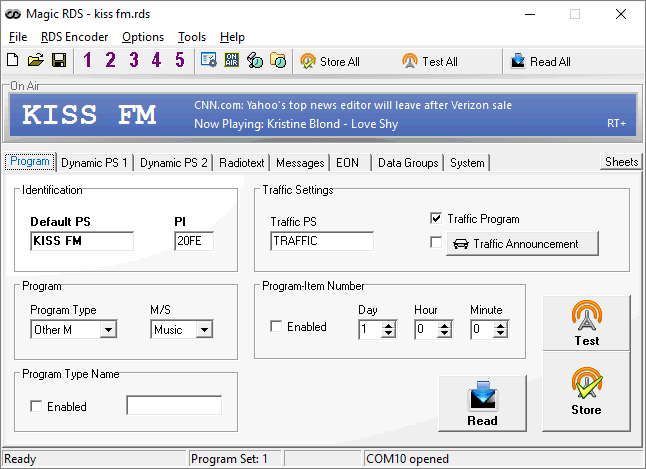
The Magic RDS 3 is a GUI based control software for
PIRA32, P132, P232(U) and P332 RDS encoders. For other RDS encoder models, please download
the Magic RDS 4.
With this application you can:
- perform initial configuration of the RDS encoder,
incl. connection parameters and default RDS content
- process and send text information from several
sources, like broadcast automation or internet
- schedule RDS content
OS supported: Windows 98, ME, NT, 2000, XP, Vista, 7.
TIP: The version 3 is no longer developed. Please consider update to the Magic RDS 4.
Features
- RDS services supported: PI, PS, PTY, PTYN, TP, AF,
TA, DI, M/S, PIN, ECC, LIC, RT, UDG, CT, EON, RT+
- Easy RDS settings wizard, including automatic PI
calculation
- Complete solution for your radiostation: RDS
scheduling, external text sources, advanced "now playing" features, presets,
task scheduler, configuration macros, settings lock, encoder backup/clone
- Supports serial and TCP connection
- Up to 16 dynamic external text sources
- Powerful text processing tools
- HTTP, FTP, HTTPS, XML, RSS, RegEx and UTF-8 support
- External text source can control any RDS service (for
example TA and PTY)
Installation
- Download and run the MagicRDS_Setup.exe.
- Follow the instructions from the Help, Quick
Installation Guide and Technical manual.
Update from older version
- Close your current version.
- Download and run the MagicRDS_Setup.exe.
- Select the folder where the previous version is
placed. Your settings will remain.
The RDS Spy is a real-time RDS decoder with support
of various connection methods. It allows continuous analysis of the RDS data as well as
adjusting all RDS services before final installation of the encoder.
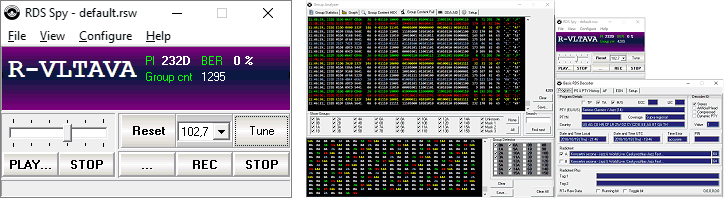
The RDS Spy is directly supported by the P132, P164, P232,
P232U and P332. You can connect from the RDS Spy to any of the RDS encoder's communication
port and see all outgoing data in real time, incl. text information, RT+ tagging, binary
content etc. You don't need any special hardware, just a standard PC. This unique feature
has no equivalent in other RDS encoders.
The RDS Spy decoder has own site here. The RDS Spy is also included in the Magic RDS 4 package.
|

